
Office skills
PowerPoint: beginner to intermediate
Anyone who creates or delivers slide presentations in their job.
← All courses · View the catalogue
2 days (14 h)
Anyone who creates or delivers slide presentations in their job.
Course objectives
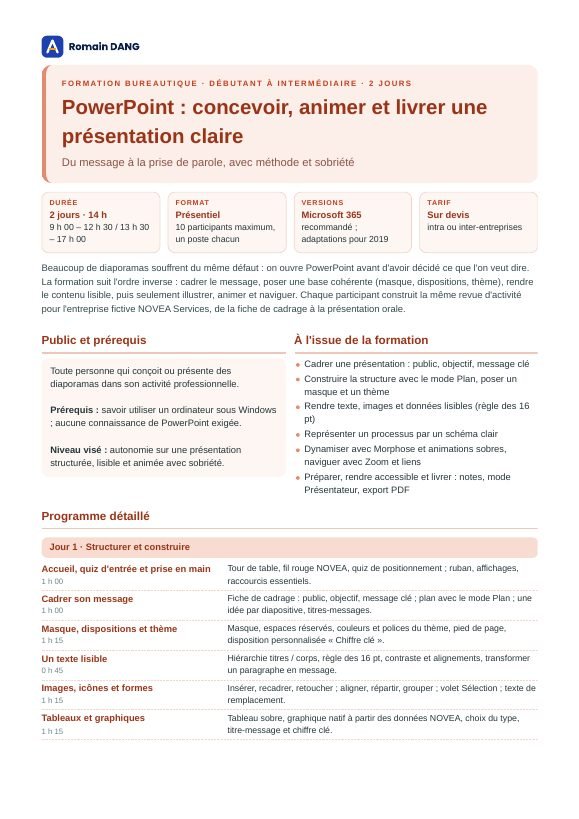
- Frame a presentation (audience, goal, key message) and build its structure in Outline view
- Set up a slide master and theme for consistent formatting
- Make text, images and data readable, following the 16 pt rule
- Represent a process with a clear diagram
- Add energy with Morph transitions and restrained animations, and navigate with Zoom and links
- Prepare, make accessible and deliver your presentation (notes, Presenter view, PDF export)
Programme for the two days
- Day 1 · Welcome and entry quiz (30 min)
- Day 1 · Getting to know PowerPoint (30 min)
- Day 1 · Framing your message (1 h)
- Day 1 · Slide master, layouts and theme (1 h 15)
- Day 1 · Readable text (45 min)
- Day 1 · Images, icons and shapes (1 h 15)
- Day 1 · Tables and charts (1 h 15)
- Day 2 · Day 1 recap, diagrams and processes (1 h 15)
- Day 2 · Transitions, Morph and animations (2 h)
- Day 2 · Zoom, navigation and delivery (1 h 15)
- Day 2 · Case study, 4-minute presentations, exit quiz and wrap-up (2 h)
How the course runs
- A practical case at every step, to learn by doing.
- Materials given to each participant, usable after the course.
- Content adapted to your tools, your jobs and your level.
- A clear starting point and finish line: you know what you will be able to do.
In person · 10 participants maximum · one computer per participant · short inputs, demonstrations and hands-on exercises
Prerequisites
Able to use a Windows computer; no PowerPoint knowledge required.
Key strengths
- A running case: the activity review of the fictional company NOVEA Services, from framing sheet to oral presentation
- Frame the message before opening PowerPoint: substance first, form second
- Trainee step-by-step: one sheet per sequence (steps, exercise, watch-points)
- Exercise folder: starter files, backup files and answer keys
- A group of 10 people maximum, one computer per participant
Assessment
- Ten-question entry quiz, corrected exercises and flash quizzes during the course
- Case study graded out of 25, twenty-question exit quiz: pass mark 15/25 including 3/5 for “Structure and message”
- Satisfaction survey, certificate of completion and a follow-up questionnaire at three months
Microsoft 365 recommended. With PowerPoint 2019, Morph is replaced by the Fade transition and Zoom by internal links.
What you receive
Every trainee leaves with a trainee workbook, the exercise files with their solutions, and quick-reference sheets to keep at hand. Everything remains usable after the course.
Duration and content adapted to your level, your sector and your schedule.
A question about this course?
Reply within 48 working hours. Free quote, no obligation.