
Office skills
Word, beginner level
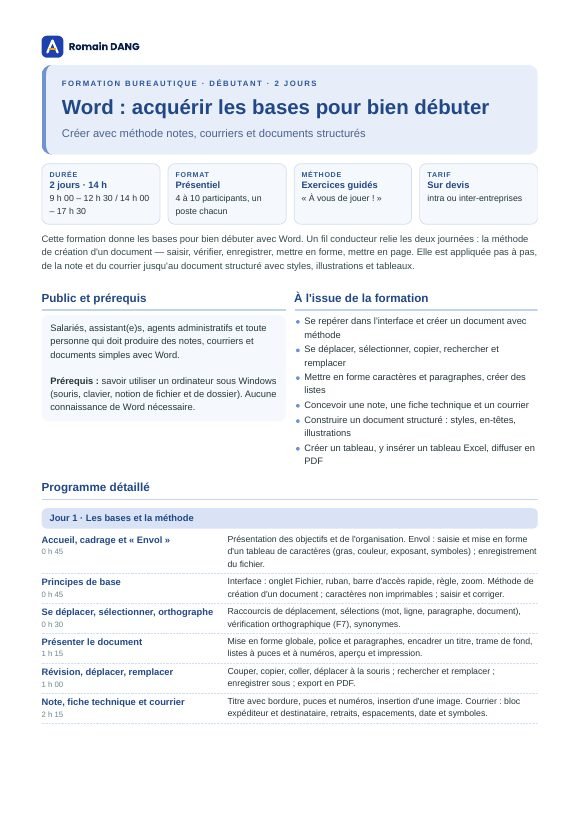
Employees, assistants, administrative staff and anyone who needs to produce notes, letters and simple documents in Word.
← All courses · View the catalogue
2 days (14 h)
Employees, assistants, administrative staff and anyone who needs to produce notes, letters and simple documents in Word.
Course objectives
- Find your way around the interface and create a document with a method: type, check, save, format, lay out
- Move around, select, copy, move, find and replace text
- Format characters and paragraphs, create bulleted and numbered lists
- Design a note, a fact sheet and a professional letter
- Build a structured document with styles, headers and footers, illustrations and a cover page
- Create a table, insert an Excel table, save and share (template, PDF)
Programme for the two days
- Day 1 · Welcome, framing and “Take-off” (45 min)
- Day 1 · Basics: interface, method, typing (45 min)
- Day 1 · Moving around, selecting, spell check (30 min)
- Day 1 · Presenting the document (1 h 15)
- Day 1 · Review, move, replace, save (1 h)
- Day 1 · Note, fact sheet and letter (2 h 15)
- Day 2 · First-day review and quiz (1 h 30)
- Day 2 · Building a structured document: styles, style set, headers (1 h 45)
- Day 2 · Inserting illustrations (1 h 30)
- Day 2 · Creating and using tables, Excel table (1 h)
- Day 2 · Wrap-up and assessment of learning (45 min)
How the course runs
- A practical case at every step, to learn by doing.
- Materials given to each participant, usable after the course.
- Content adapted to your tools, your jobs and your level.
- A clear starting point and finish line: you know what you will be able to do.
In person · 4 to 10 participants · one computer per trainee · guided “Your turn!” exercises
Prerequisites
Able to use a Windows computer (mouse, keyboard, notion of files and folders). No Word knowledge needed.
Key strengths
- A common thread: the method for creating a document
- A mix of demonstrations, guided “Your turn!” exercises and reviews
- Concrete cases: note, fact sheet, letter, structured document
- Course material, detailed step-by-step guide, exercise files and solutions
- A group of 4 to 10 people, one computer per trainee
Assessment
- Starting quiz and final summary quiz
- Review exercises corrected in class
- Course evaluation questionnaire and personal action plan
Materials given to trainees
- Course material (slideshow)
- Detailed step-by-step guide
- Blank exercise files
- Solutions to all exercises
Computers equipped with Word (Microsoft 365, 2021 or 2019). Possible follow-up: Word Intermediate (advanced layout, mail merge, advanced tables, long documents, templates).
What you receive
Every trainee leaves with a trainee workbook, the exercise files with their solutions, and quick-reference sheets to keep at hand. Everything remains usable after the course.
Duration and content adapted to your level, your sector and your schedule.
A question about this course?
Reply within 48 working hours. Free quote, no obligation.